Horizon Camera App Download for Android
PZ Mobile
Sep 10, 2014
Sep 8, 2025
4.47 MB
1.6.1.0
6.0
1,000,000+

Description
Have you ever recorded a video and later realized it was in the wrong orientation? Vertical videos can ruin the viewing experience, especially on platforms like YouTube. That’s why many users are now searching for the best horizontal video recording app for Android.
If you’re looking for a reliable solution, Horizon Camera is one of the best apps available. It allows you to record perfectly horizontal videos no matter how you hold your phone.
📱 About Horizon Camera
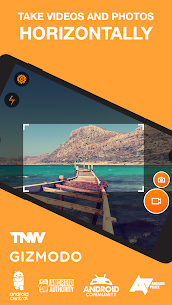
Horizon Camera is a unique horizontal video recording app for Android that ensures your videos and photos always stay level and properly oriented.
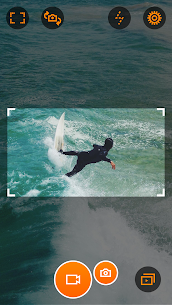
Using advanced gyroscope and accelerometer technology, this app automatically adjusts your video orientation in real-time. Whether you hold your phone vertically, horizontally, or even rotate it while recording, the output will always be perfectly horizontal.
🚀 Key Features of Horizon Camera
🎥 Record Horizontal Videos Anytime
This horizontal video recording app allows you to:
- Record videos in landscape mode even in portrait
- Avoid vertical videos completely
- Capture smooth and professional footage
🧭 Auto-Leveling Technology
Horizon Camera uses your phone’s sensors to:
- Automatically level videos
- Keep footage parallel to the ground
- Act like a mini gimbal
📸 Capture Photos While Recording
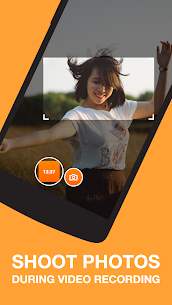
- Take photos during video recording
- Capture multiple moments without stopping
🎬 Multiple Video Resolutions
- VGA
- HD
- Full HD
👉 Choose quality based on your device and storage.
⚙️ Flexible Leveling Modes
This horizontal video recording app offers different modes:
- Flex Mode – Maximum viewport adjustment
- Rotate Mode – Fixed frame
- Locked Mode – No auto-leveling
🔊 Easy Controls
- Start/stop recording with volume buttons
- Use hardware camera button
- Simple and intuitive controls
💾 Storage Options
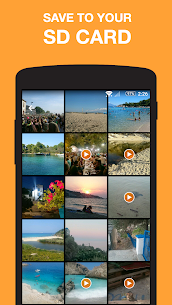
- Save videos to SD card
- Manage storage efficiently
📥 How to Download Horizon Camera
✅ Official Download (Recommended)
👉 Download from Google Play Store
🧠 Why Use a Horizontal Video Recording App?
Using a horizontal video recording app like Horizon Camera offers several benefits:
- Better viewing experience
- Professional video output
- Perfect for YouTube and social media
- No need to rotate your phone
👉 It completely eliminates the problem of vertical videos.
🎯 Use Cases
🎥 Content Creators
- Record YouTube videos
- Create professional content
📱 Social Media Users
- Share better videos
- Improve engagement
🎬 Videographers
- Capture stable footage
- Avoid orientation issues
⚖️ Pros and Cons
✅ Pros
- Best horizontal video recording app
- Auto-leveling feature
- Easy to use
- Supports HD recording
❌ Cons
- Requires sensors (gyro/accelerometer)
- Some features are paid
🔍 Horizon Camera vs Normal Camera Apps
| Feature | Horizon Camera | Normal Camera |
| Horizontal Recording | ✅ Yes | ❌ No |
| Auto Leveling | ✅ Yes | ❌ No |
| Vertical Video Fix | ✅ Yes | ❌ No |
| Professional Output | ✅ High | 🟡 Medium |
❓ FAQs
🔹 What is a horizontal video recording app?
It is an app that ensures videos are always recorded in landscape mode.
🔹 Does Horizon Camera work on all devices?
It works on devices with gyroscope or accelerometer.
🔹 Is it free?
Yes, but some features require in-app purchase.
Conclusion
If you’re tired of recording vertical videos and want professional-quality results, Horizon Camera is the perfect horizontal video recording app for Android.
With its auto-leveling technology, smooth performance, and easy controls, it ensures every video you capture looks perfect and ready to share.
👉 Say goodbye to vertical videos forever!
What's new
Edge to edge support for settings activity.
Video
Images